A press media gallery makes a promise: here is material you can identify, assess and, under stated terms, use in your coverage. The promise begins to wobble when the download button produces a tiny preview, the caption says “our team,” and the credit is nowhere to be found. I have little affection for a beautiful press page that leaves the visitor with three unanswered emails to send. The most useful gallery anticipates the ordinary questions an editor will ask and puts the answers beside the files.
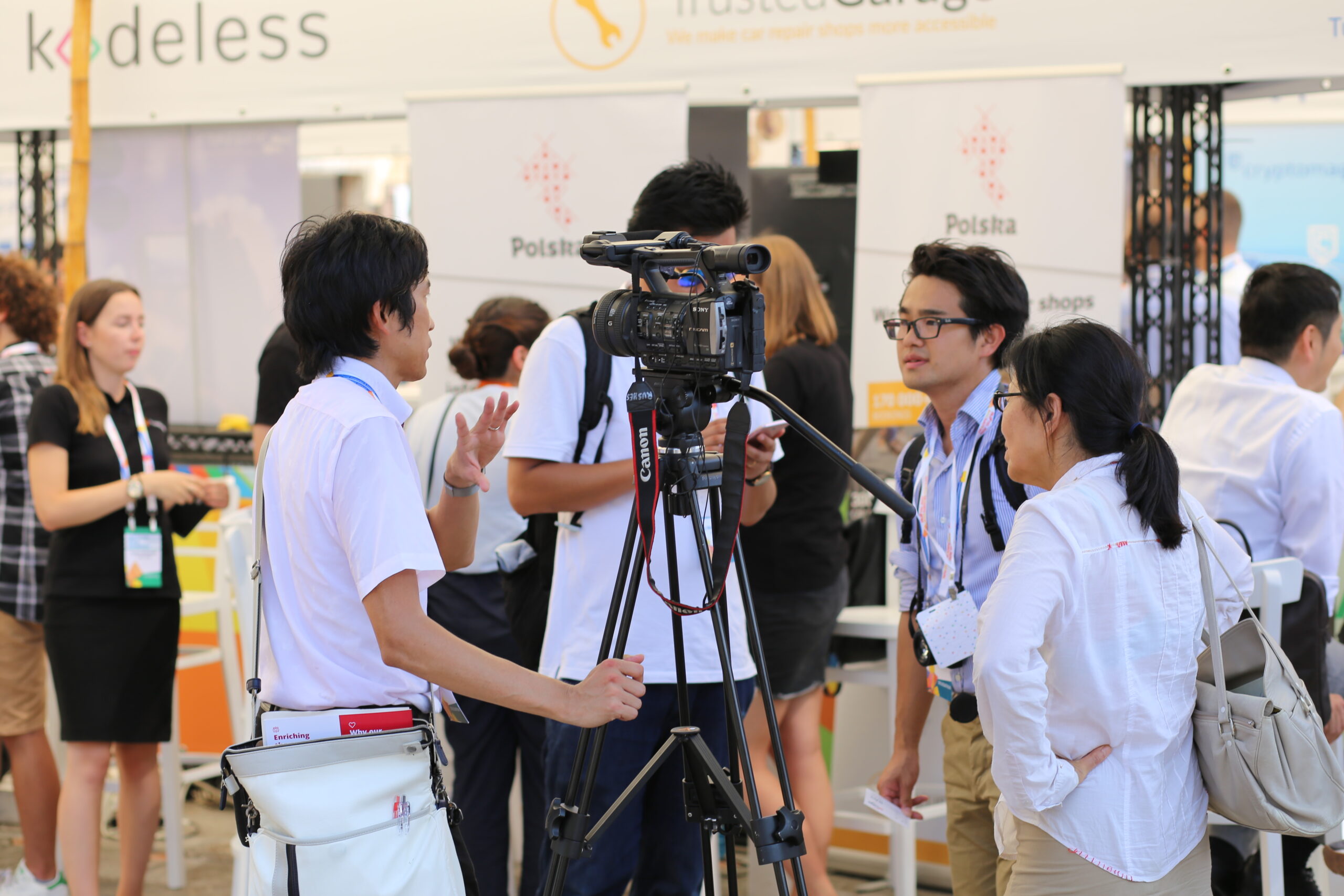
The photograph here captures a scene around a video camera at an exhibition. A large Sony camcorder sits on a black tripod near the centre, its handle and viewfinder projecting above the group. To the left, a man in a white short-sleeved shirt raises one hand while resting the other against a tripod leg. A white shoulder bag hangs at his side. On the right, a man wearing glasses and a striped shirt faces him; a woman with glasses, a dark ponytail and a large pale bag stands closer to the camera. Other attendees and display counters fill the background, with “Polska” visible on banners. Lanyards, equipment straps and the long tripod handle cross the space between people. It looks like a conversation happening around the work of recording, though the image alone cannot tell us what was said or whether a recording was underway.
This would be a useful picture for a story about exhibition coverage or media activity at trade events. It would be much less ready for a report naming the participants, because their names and roles would need to be confirmed. That distinction is the press gallery’s daily business. An image can be visually suitable before its record is sufficiently complete for a particular use. A good collection makes the available information and its limits easy to see, rather than leaving an editor to mistake a descriptive filename for a verified caption.
Start with identification. Each item should have a clear title, a useful caption, a credit and a stable way to distinguish it from similar files. For a named person, give the relevant role at the time of the photograph where that matters. For an event, identify the occasion, location and capture date when verified. If a photograph is supplied as an illustrative archive image, label it accordingly. An old exhibition scene can support a general article about trade shows, but should not be presented as a photograph of a new event simply because someone uploaded it this morning.
The distinction between capture date and publication date is especially important in a press collection. Websites often display a fresh date prominently, even when the underlying picture is older. Put the photographic context where it belongs in the caption or record. If the date is unknown, acknowledge that when it affects interpretation. In our exhibition photograph, neither the event’s identity nor a date should be inferred solely from the visible banners. They are clues for further checking, not a complete caption waiting to be confidently expanded.
Then tell people what the download actually contains. Pixel dimensions explain more about an image’s usable size than “high resolution” on its own. A landscape file that is 2560 pixels wide offers a different set of possibilities from a small thumbnail, and the intended crop and output size still matter. If several versions are supplied, label them clearly: full image, web-sized copy, portrait crop or another genuinely useful variant. Avoid making editors open a succession of files to discover which one is large enough. A download should save work, which sounds almost embarrassingly obvious until you visit a few press pages.
Give people a clean image where the stated use allows it, while keeping the caption and credit easy to retain. A preview watermark may help identify the source, but a watermark covering the subject can make a file unsuitable for publication. If the downloadable version differs from the preview, say so. Include metadata where your workflow supports it, and provide a readable caption record as well. Metadata is useful, but it can be stripped during editing or transfer; a clearly matched caption file or an individual item page provides another way back to the information.
Usage terms need to answer practical questions in language the intended audience can understand. State who is supplying permission, the uses covered, the required credit and any relevant limitations. If a separate licence or permission process applies, make it accessible before the download. A photographer’s credit identifies the creator; it is not itself permission. Equally, a download button is not a substitute for stating the terms. For a publisher, uncertainty here is a reason to choose another picture or ask a question. Both outcomes slow the work the gallery was meant to support.
Selection deserves as much care as the paperwork. A press gallery benefits from variety that serves different editorial needs: a clear portrait, an activity image, a wider setting and relevant details, where those materials exist. Include a choice of orientations when the pictures justify it, because layouts differ. But do not manufacture variety by publishing twenty almost identical frames. Our guide to choosing photographs for a media gallery explores how to decide what each addition contributes. In a press collection, that contribution should include a plausible use for an editor, not just a subtle change someone inside the organization happens to prefer.
Some images can carry their own context more readily than others. The camera, tripod, lanyards and exhibition stands in this photograph establish the type of environment even without a long explanation. They do not establish the identities or affiliations of the people around them. A caption should preserve that difference. If a recognizable person is important to the intended story, verify the identification rather than borrowing a name from a nearby image. A neat grid can encourage readers to assume that captions apply across several similar photographs; individual records prevent that ambiguity.
Video and audio require equally specific labels. Give the duration, a description of the content and the format or other technical details relevant to the offered file. Distinguish edited material from a complete recording and identify supplied narration or other added elements where that affects use. A downloadable clip and an embedded player serve different needs, so say which is available. Captions and transcripts can make recordings more accessible and help editors locate a passage, while accurate time references can save repeated searching through a long interview. These additions are useful precisely because somebody else is trying to work with the material.
The collection should also provide a clear contact route for unresolved questions. It may be a name, a monitored email address or another reliable channel. Tell visitors what kinds of requests it handles if that is not obvious. An editor needing a verified name or a different crop should not have to work out which department owns the page. Where access is restricted or material is supplied under embargo, state the applicable conditions clearly and handle access accordingly. An ordinary public gallery is simplest when the material is intended for immediate public distribution; special arrangements need to be understandable before someone relies on the files.
Maintain the record after publication. Replace obsolete portraits deliberately, mark superseded product photographs where confusion is possible and preserve useful context for archive material. If an identification is corrected, update the caption wherever the file is offered and consider whether people who received the incorrect information need to be notified. Stable item pages help visitors return to the current record. Our article on organizing a media gallery discusses the file relationships and consistent naming that make such maintenance less painful.
Finally, test the page as though you have arrived with a deadline and no inside knowledge. Find an appropriate picture, read its caption, locate the credit and terms, download it and check the result. Do the same on a phone. If you need to explain where the real download button is, the interface could use another pass. Our caption-writing guide and guide to event media galleries cover two parts of that experience in greater detail.
I would judge a press media gallery by how confidently someone can leave it with the right file and the right information. The exhibition photograph reminds me that coverage already involves plenty of coordination: people, equipment, conversation and the practical business of getting something recorded. The gallery is an opportunity to make the next stage easier. A useful photograph, an accurate caption, a clear credit and an honest download button will do a great deal of that work. The animated entrance sequence can wait.